 Motag
Net for the day, week and month
Remittances received, advances withheld, expenses: the breakdown of the net, per bike and for the whole fleet, with the payment rate.
20,000 FCFA net today
Offline Enter data without network, sent automatically
Motag tracks the remittances, expenses and profitability of your moto-taxis. Your drivers enter them from their phone, even without network; you see today’s net, what is missing and what is about to expire.


Remittances come in on their own. Motag computes the net, flags what is missing and reminds you of what expires.
Remittances received, advances withheld, expenses: the breakdown of the net, per bike and for the whole fleet, with the payment rate.
20,000 FCFA net today
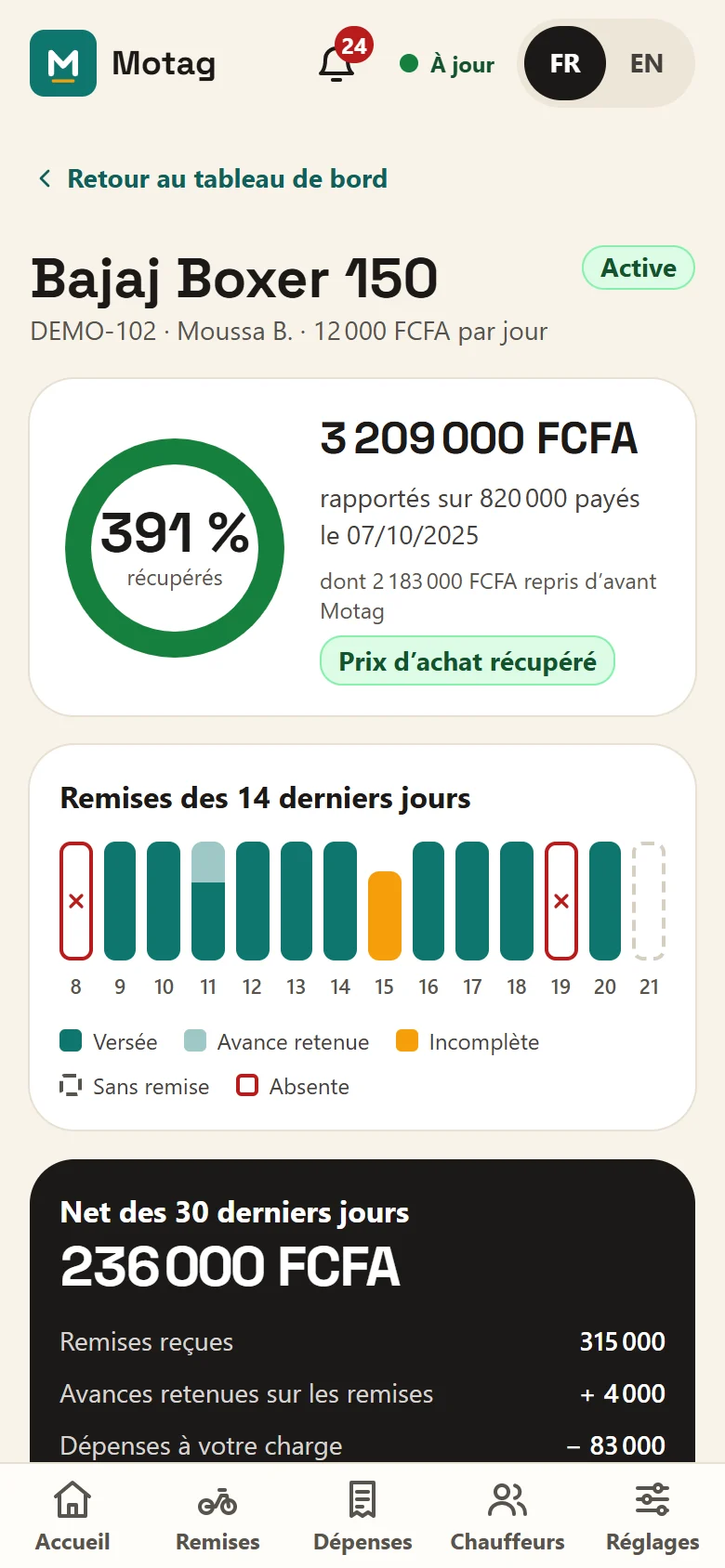
How much of the purchase price is already recovered, and the estimated payback date.
Missing or incomplete remittance, unusual net, maintenance due, trial journal forgotten. A summary every morning.
Insurance, registration, inspection, GPS: alerts 30 and 7 days ahead, renewal in two taps, add to calendar.
Fuel, maintenance, repairs, tyres. Receipt photos are shrunk on the device to save mobile data.
CSV files ready for Excel: remittances, expenses, renewals, journals. By month or the whole history.
Every correction keeps the previous amount and its reason; a driver’s top-up waits for your approval.
Add a bike and a driver, create their login code, hand over the bike with the daily remittance amount. Breakdown, sale, new amount: the history stays right.
Designed for an entry-level phone, outdoors, in full sun.
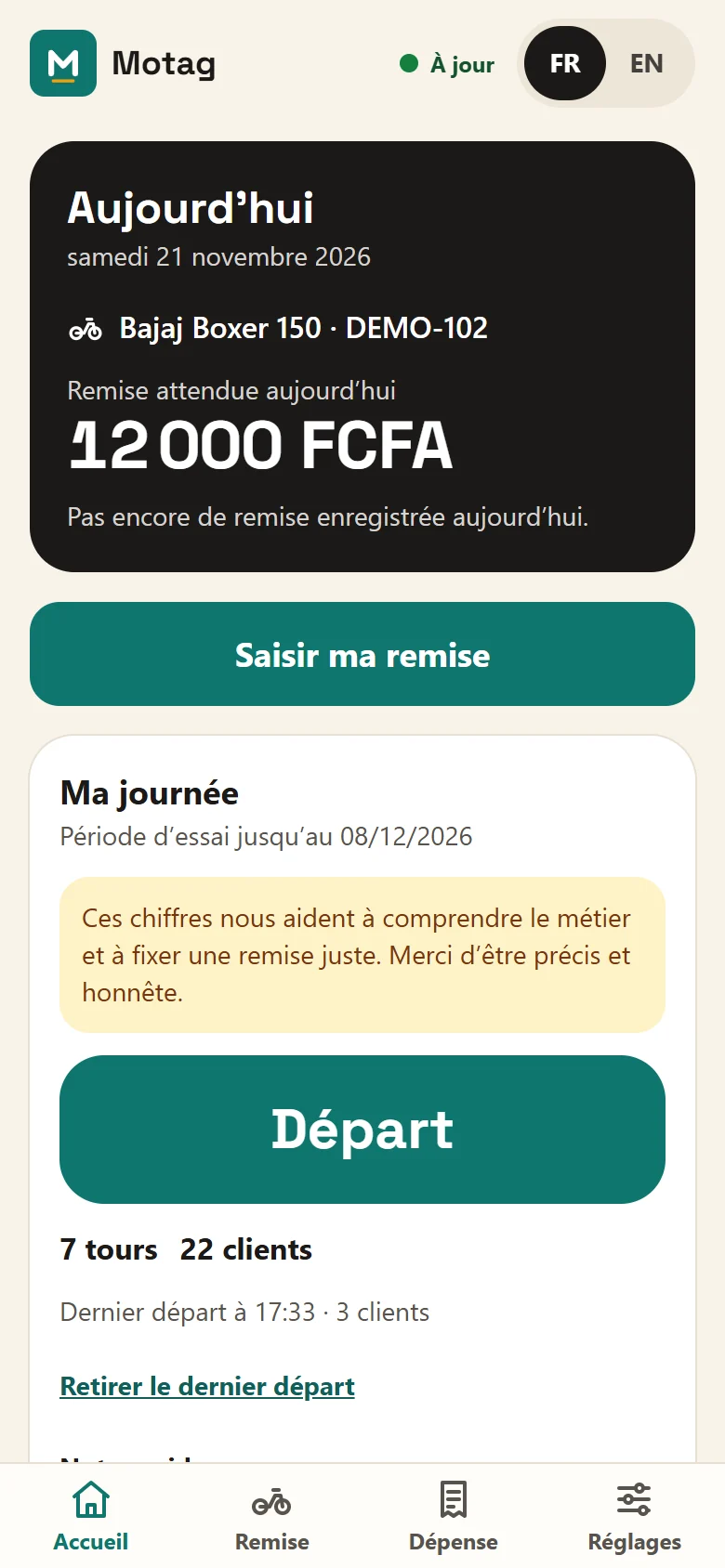
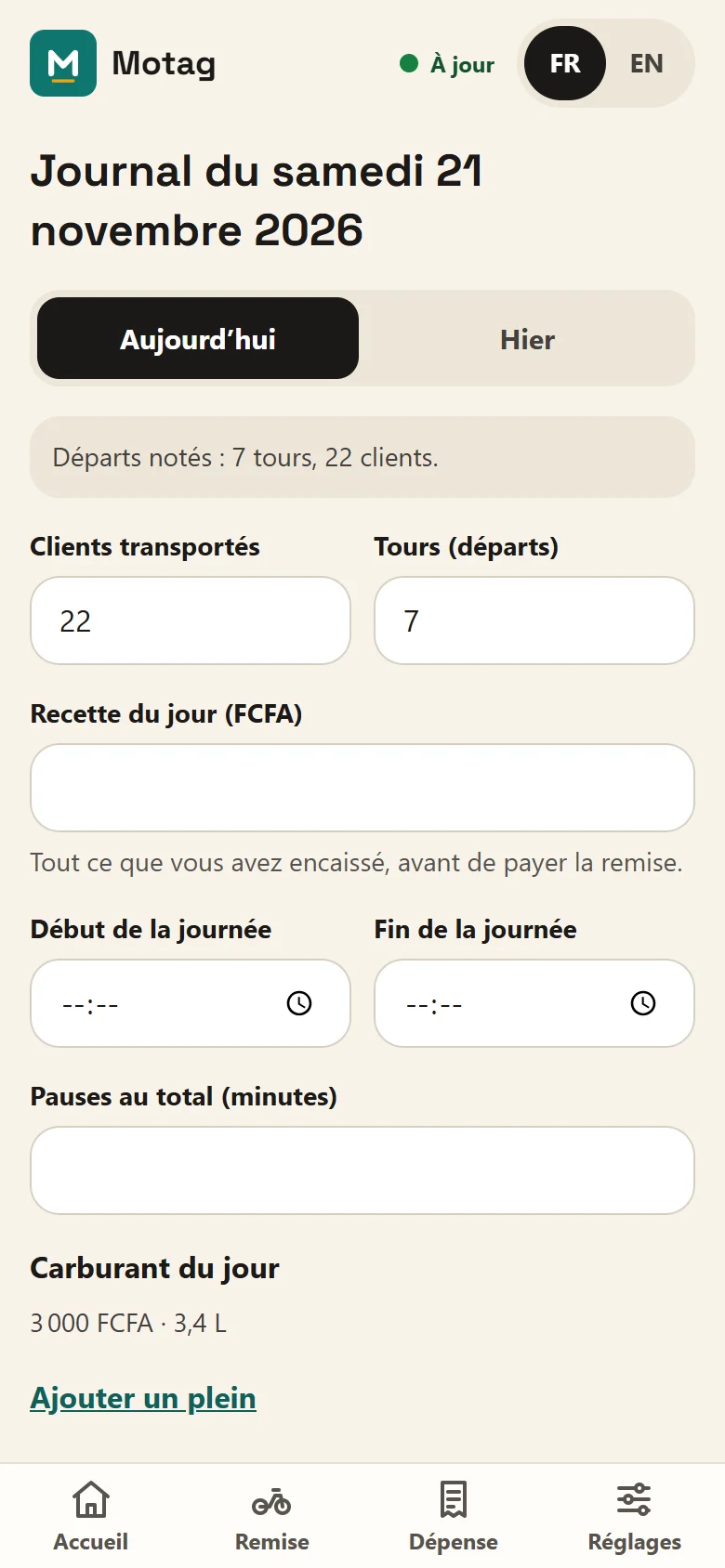
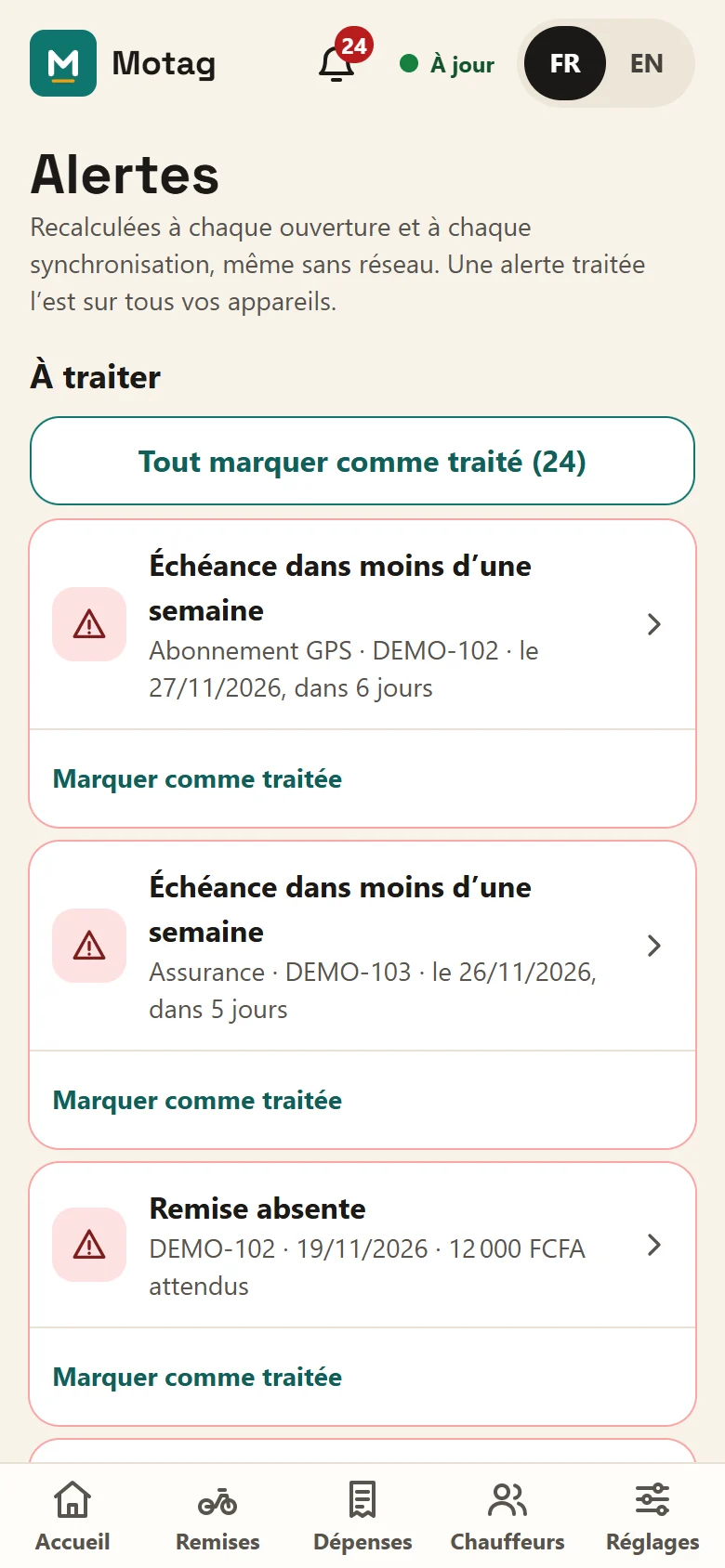
Alerts are computed on your device each time it opens: they stay visible offline, and an alert handled is handled on all your devices.
At first sign-in: name, currency, time zone and usual daily remittance.
For each driver, Motag creates an 8-digit code. They sign in with their phone number and this code, no email needed.
Pick the driver and the daily remittance amount. From tonight, their remittances land on your dashboard.
Motag is a web app: no app store, no updates to install. Once installed, it opens like an app and works offline.
Only what is needed is collected, and everyone sees only what concerns them.
Only for the first sign-in. After that, drivers and owner enter data offline; everything is sent automatically when the network is back. The app shows what is still waiting to be sent.
No. They sign in with their phone number and the 8-digit code you give them. You can give them a new code or cut their access at any time.
Yes, from Safari, by adding it to the home screen. On iPhone, data is sent when the app is opened (Android can also send it with the app closed), and notifications need iOS 16.4 or later.
They add a top-up to the day’s remittance. The new total waits for your approval; the previous amount stays in the history.
Yes: “Try it with sample data” opens an example fleet on your device, with no account and no data sent.
The Support page answers common questions (forgotten code, entry not sent, new device). Otherwise, write to support@motag.win.
On Supabase (PostgreSQL database), in the region chosen when the project was created. Details are in the privacy policy.
Open Motag, try it with sample data, then create your fleet when you are ready.